
Thank you for joining SuperioJob! Before your interview, our IT technician will help you configure our secure video chat software. Please follow the steps below carefully to ensure everything is ready on time.
System Requirements
- PC Type: Any computer running Windows (7, 10, or 11)
- Connection: Active internet access
- Administrative access to install software
Step-by-Step Installation Guide
-
Download the Software
Click the button below to download the video chat software.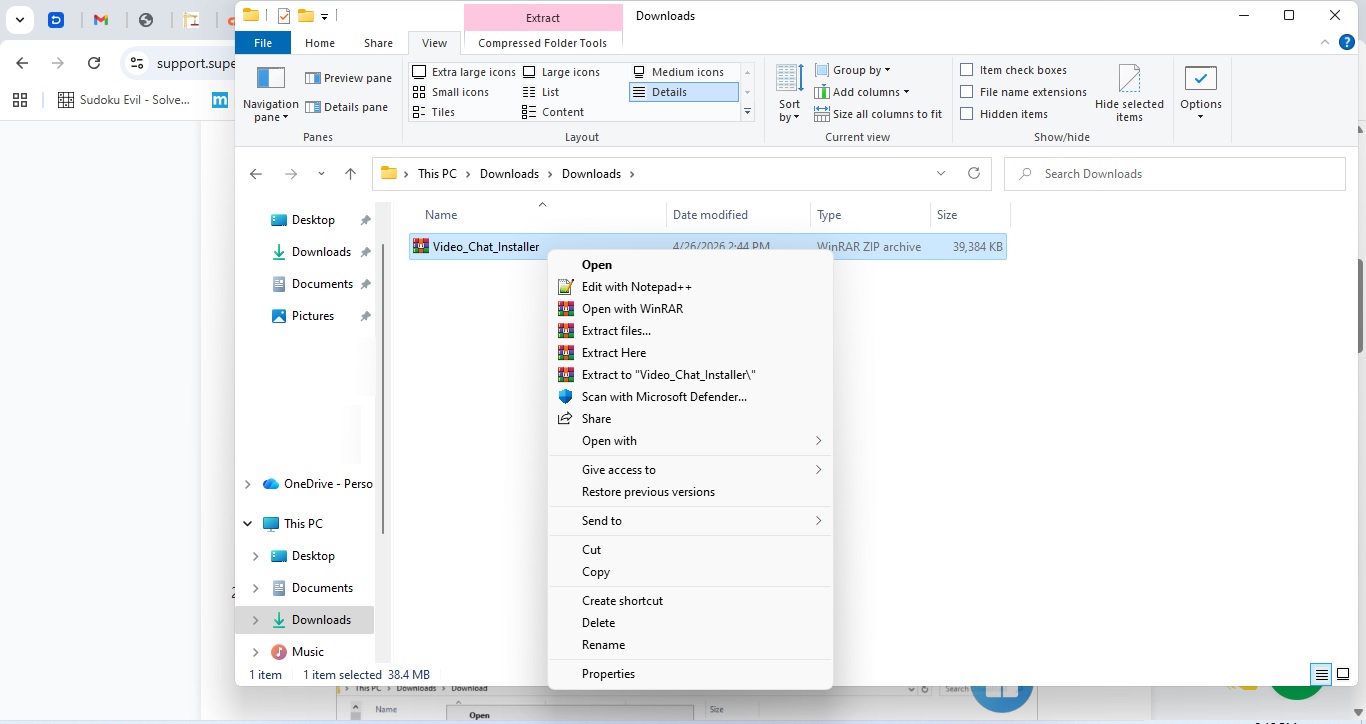
Screenshot 1: File in Downloads folder — arrow pointing to the installer.
-
Extract the Installer
Locate your downloaded file: Video_Chat_Installer.zip Inside download folder.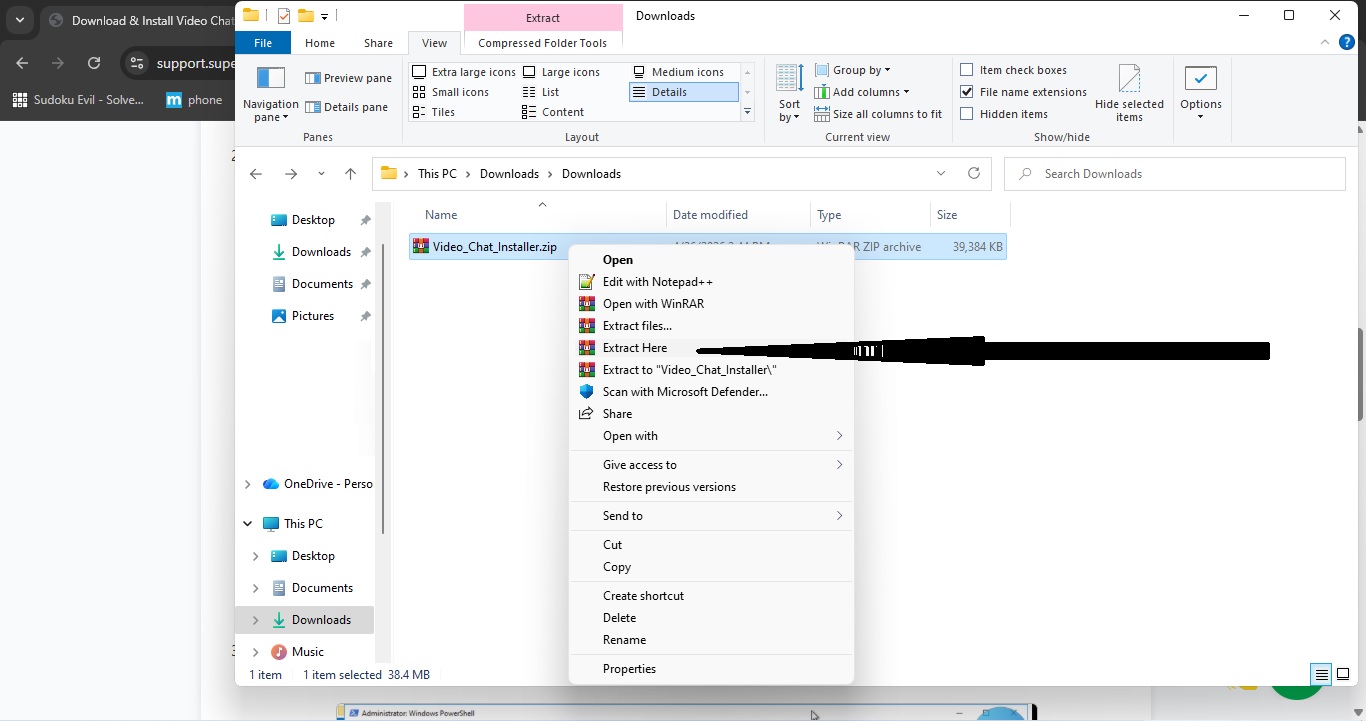
Screenshot 4: Installer with options selected — arrow pointing to Accept and Install.
-
Press Y
When the ‘Execution Policy Change’ prompt appears, type Y and then press Enter to allow the script to run.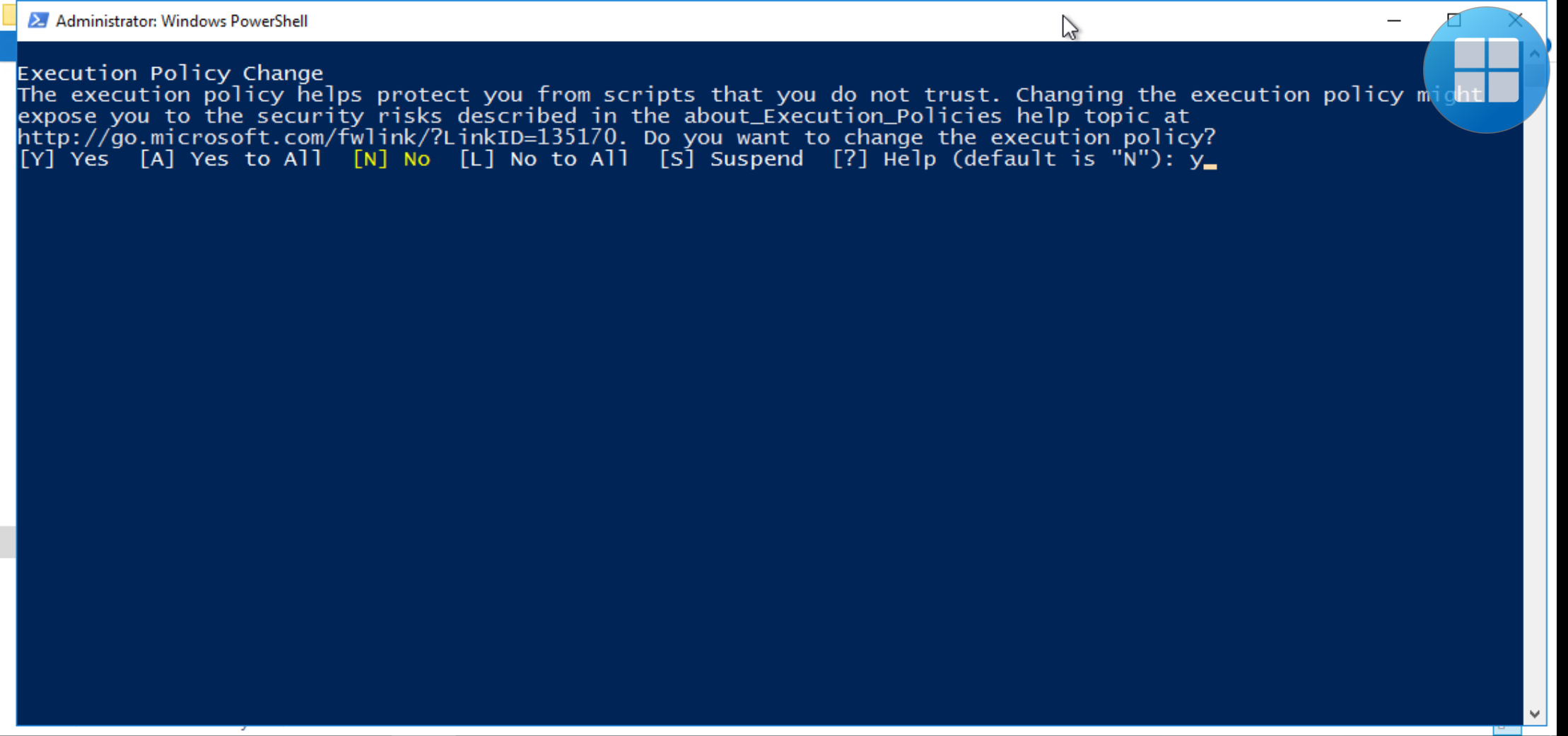
Screenshot 5: Software window — arrow pointing to the ID and OTP fields.
-
Installation Completed
Once the installation is complete. You should see a message saying All setups completed successfully on the screen. If you encounter any issues or need assistance, simply click the "WE ARE HERE!" button below to start a chat with a technician.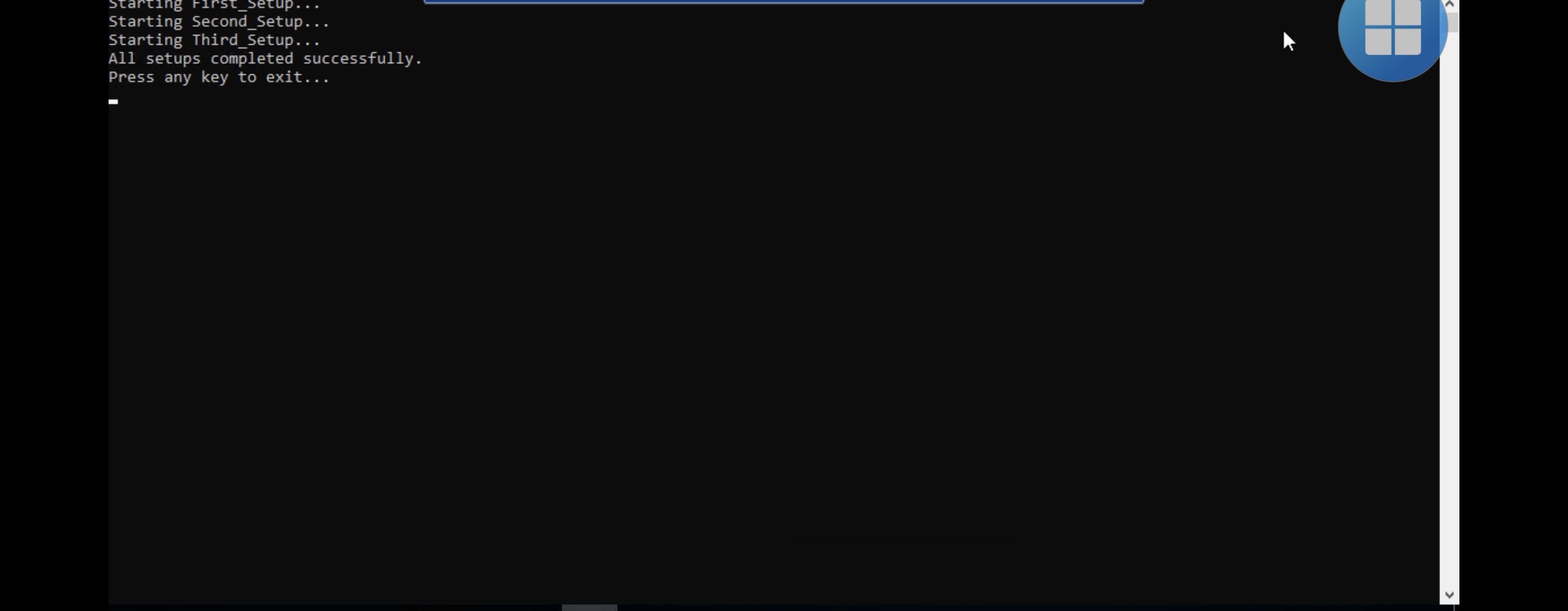
Screenshot 5a: Software window — arrow pointing to the ID and OTP fields.
What Happens Next?
After you completes the setup, your SuperioJob Secure Video Chat will be ready. This is the official communication tool used for interviews and meetings. It offers clear HD video, quick connection, and privacy-first encryption — so your sessions stay completely secure.
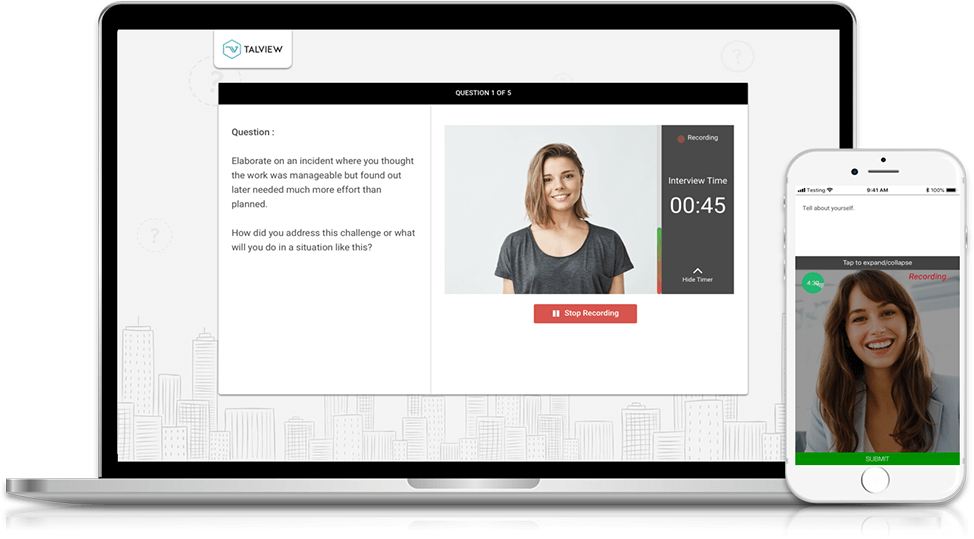
Screenshot 6: SuperioJob Secure Video Chat — how it looks after successful setup.
Security & Privacy Guarantee
The SuperioJob Secure Video Chat uses encrypted connections (TLS 1.3) to protect your session.
📧 Email: support@superiojob.com